Magic Mirror
Overview
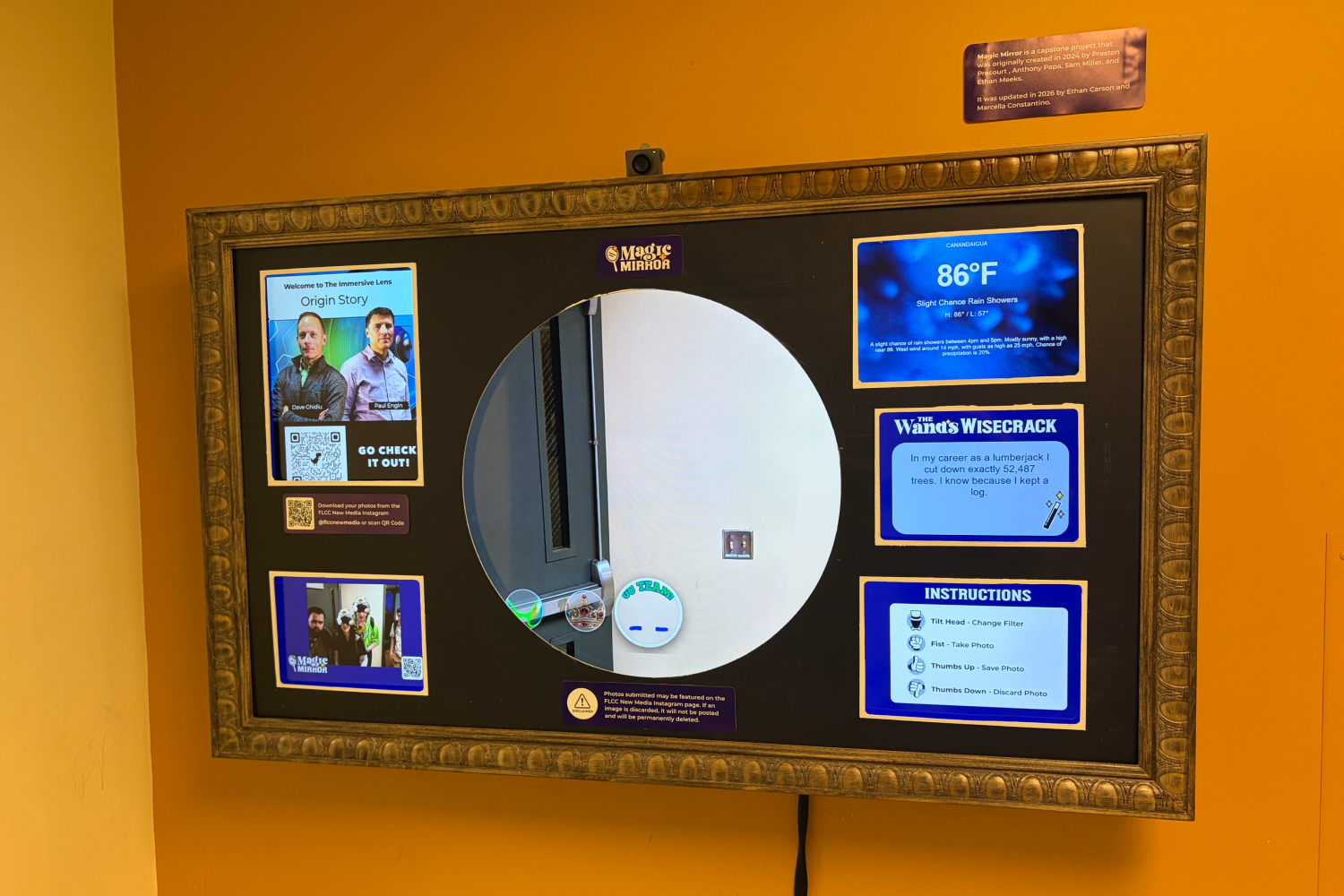
Designed and developed an interactive smart mirror experience that combines real-time information, augmented reality, and hands-free interaction into a seamless digital experience. The project explored how technology and design can work together to create intuitive user experiences through gesture controls, computer vision, responsive interfaces, and interactive visual elements.
Project Type: Interactive Experience Design & Development
Software & Technologies Used:
Figma, Visual Studio Code, GitHub, SolidJS, Sanity, Google MediaPipe, Google Workspace, ChatGPT, Gemini
Languages & Technologies:
HTML, CSS, JavaScript, SolidJS, APIs, Computer Vision
My Role
I collaborated with a teammate to design and develop the Magic Mirror experience, focusing on branding, user experience, interface design, prototyping, and interactive development. My responsibilities included creating the visual identity, developing wireframes and prototypes, designing the user interface, planning gesture-based interactions, creating AR filter concepts, contributing to front-end implementation, integrating interactive features, and testing the experience to improve usability.
Project Goals & Results
The goal of this project was to create an interactive smart mirror that combined useful daily information with engaging augmented reality features while maintaining an intuitive and user-friendly experience.
Goals
- Create a cohesive visual identity and interface system for an emerging technology experience
- Design wireframes and prototypes to plan intuitive hands-free interactions
- Develop a responsive interface that balances functionality, readability, and visual appeal
- Combine creative design with front-end development and computer vision technology
- Create interactive features that feel natural and engaging for users
Results
- Created a functional smart mirror prototype combining branding, interface design, interactive features, and emerging technology
- Designed a user-friendly experience that allowed users to access information and interact through gesture-based controls
- Developed visual concepts and AR filters that responded to user movements through computer vision technology
- Improved usability through user testing and design iterations based on feedback
- Delivered a cohesive interactive experience that combined creativity, technology, and user-centered design
Process
Project Planning
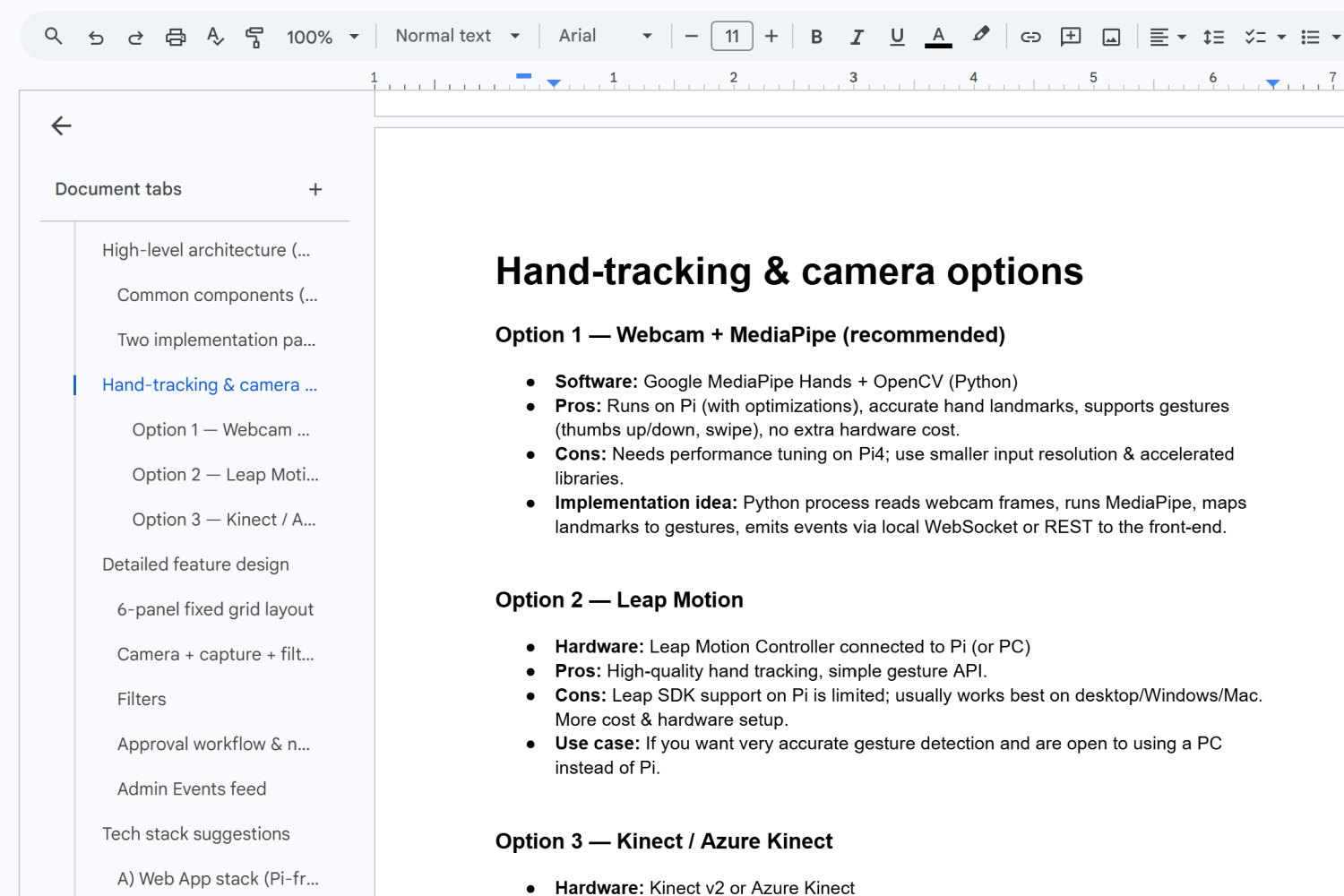
I collaborated with my teammate to define the project's goals, identify the core features of the smart mirror, and establish the overall user experience. This planning stage helped determine the interface layout, branding, and interactive features.
Visual Branding
I created the visual identity for the application, developing a clean, modern interface that complemented the smart mirror experience. This included selecting colors, typography, icons, and designing a cohesive layout that balanced aesthetics with readability.
UI Design
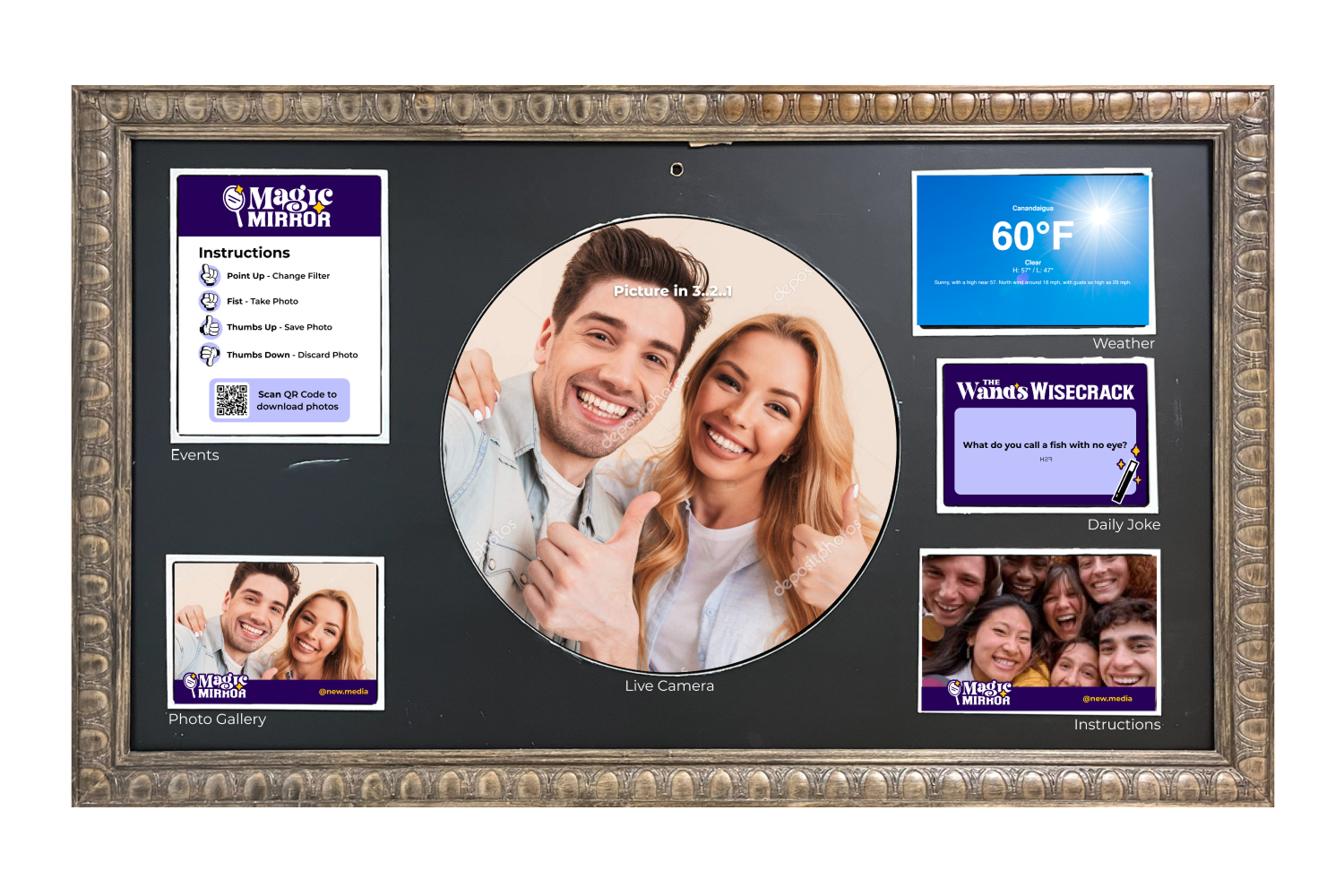
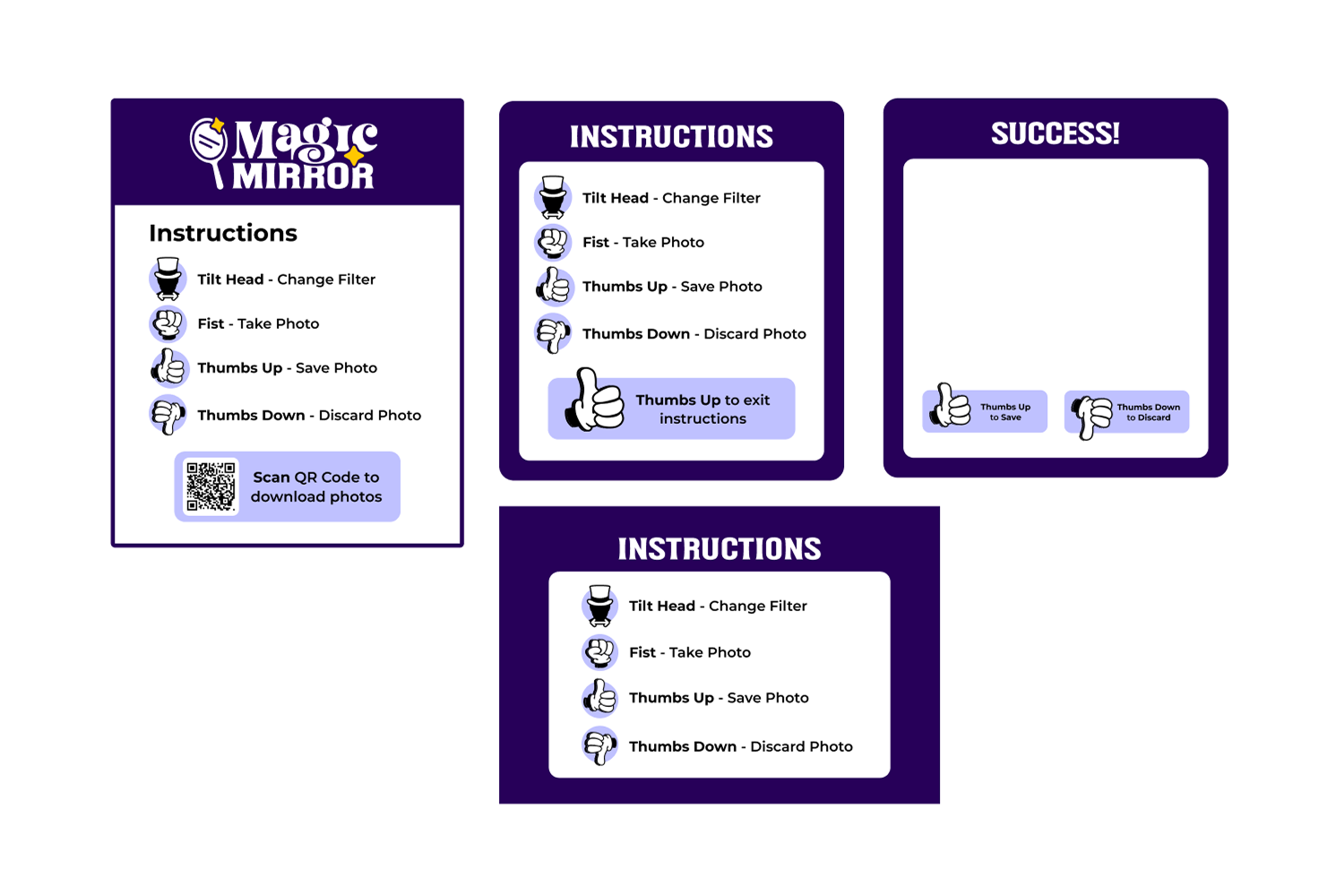
I designed the application's interface with a focus on creating an intuitive hands-free navigation experience. This included planning and defining gestures that users could use to interact with the mirror, ensuring controls felt natural and easy to understand.
Information Panels
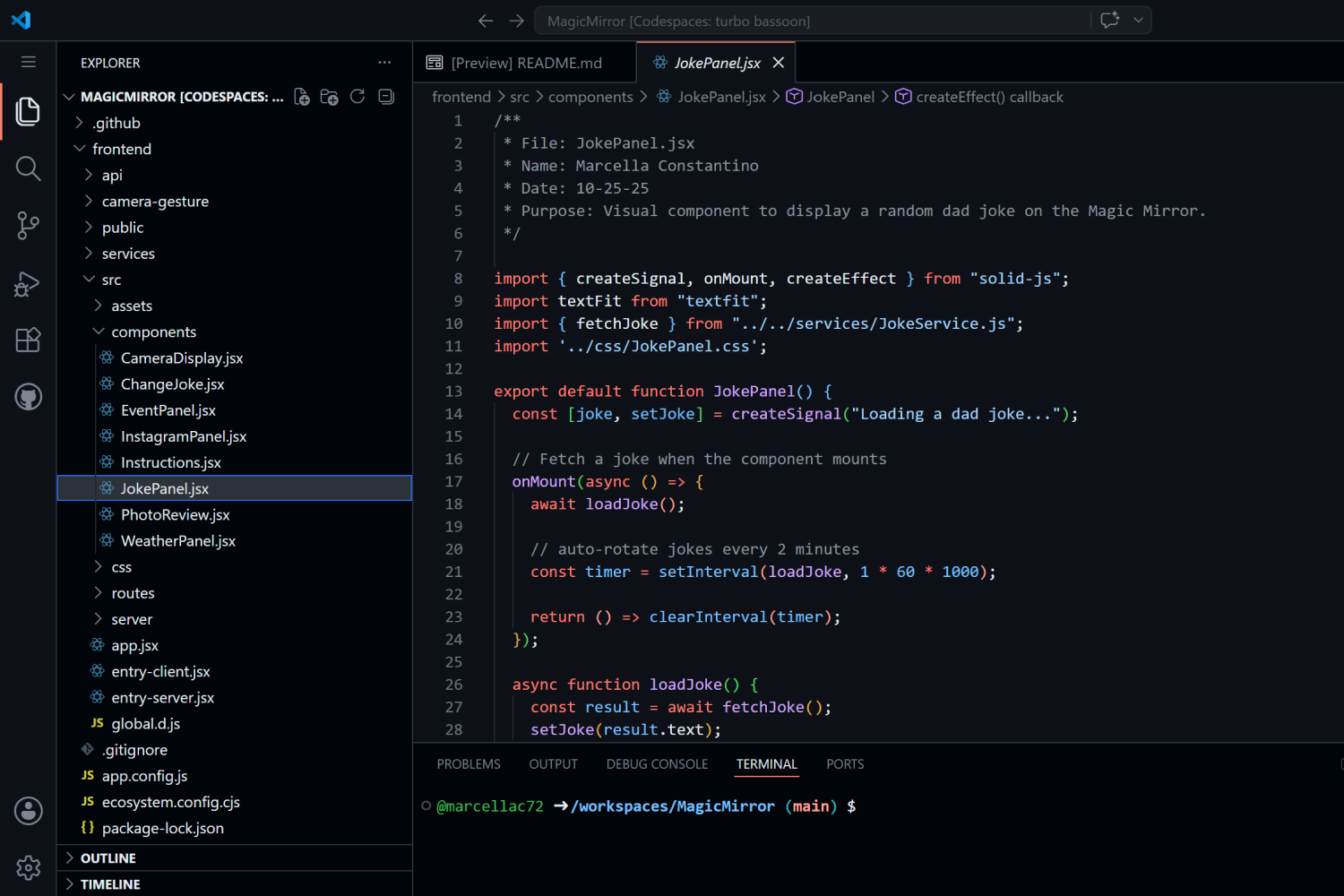
I developed several of the application's dynamic content panels, including the weather and daily joke modules. These features fetched data from external APIs and presented live information through visually engaging, easy-to-read components.
AR Filter Design
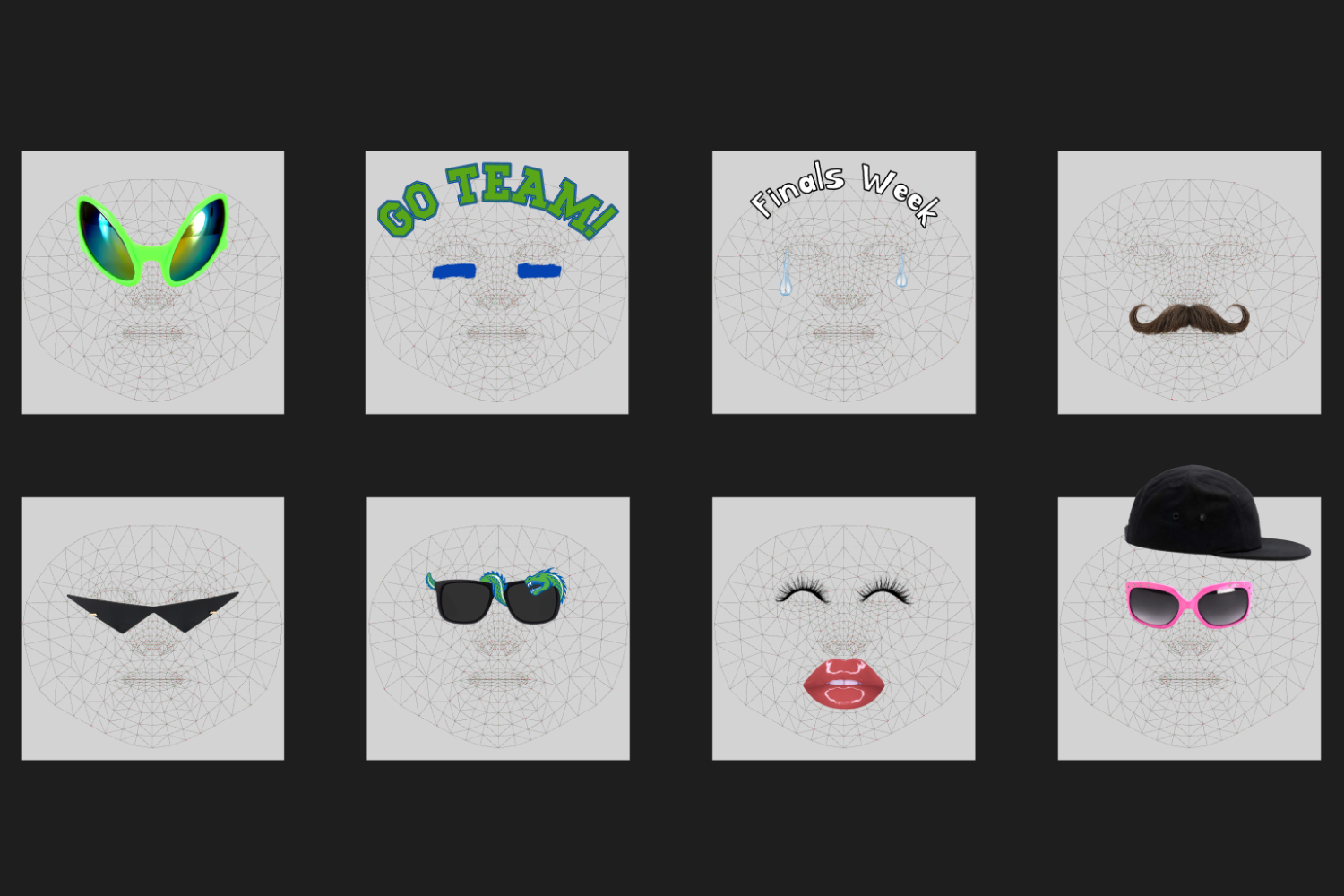
I designed Snapchat-inspired augmented reality filters that integrated with the application's computer vision features. This involved creating visual effects that aligned with facial landmarks and responded to user movements, enhancing the interactive experience while maintaining a cohesive visual style and smooth performance.
User Testing & Iteration
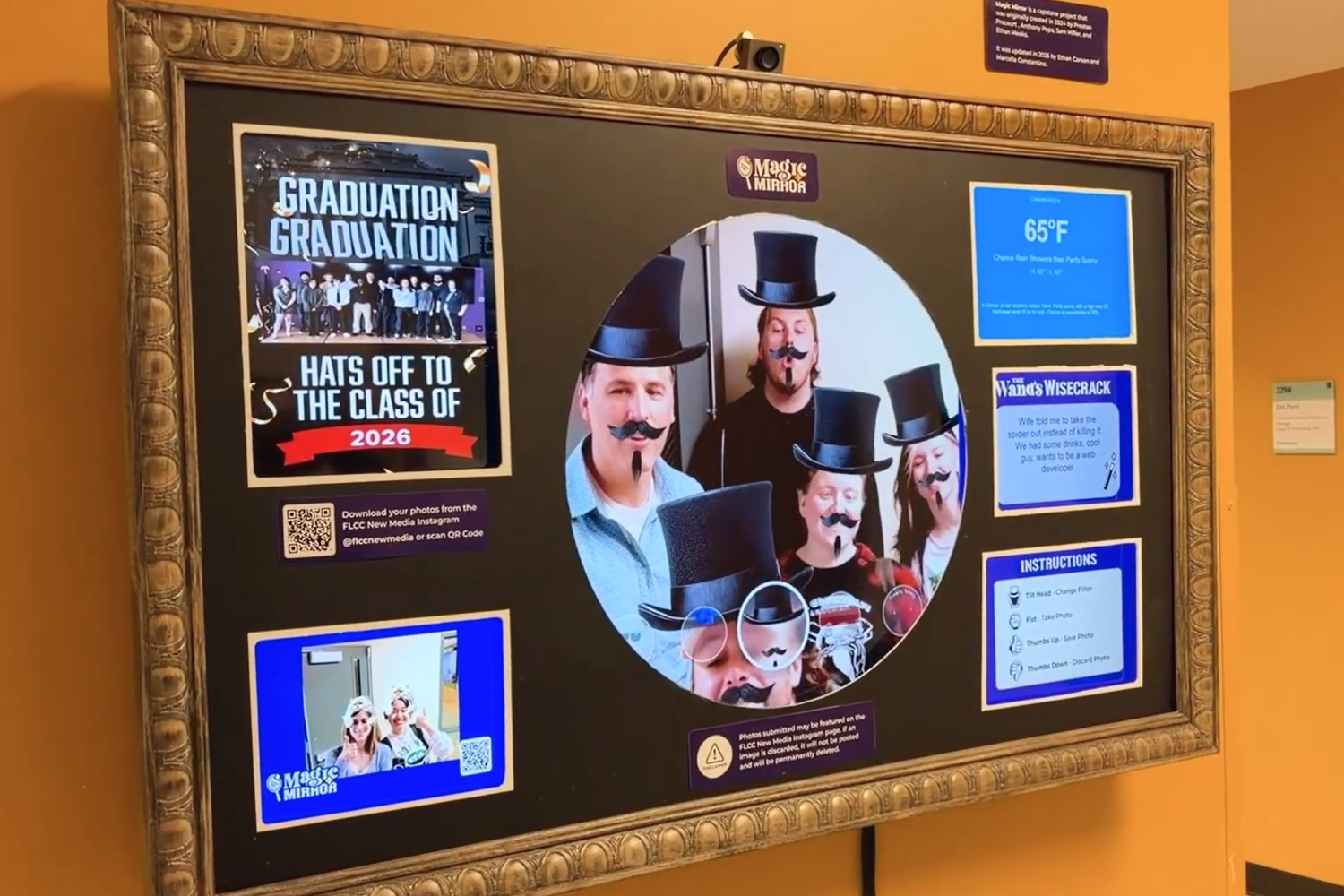
Our team conducted user testing to gather feedback and identify areas for improvement. During testing, users expressed the need for a way to save and access the photos captured through the mirror. Based on this feedback, we iterated on the design and functionality by exploring solutions for photo retrieval and improving the user flow. This process helped refine the application to better match user expectations and create a more complete and enjoyable interactive experience.
Team Collaboration
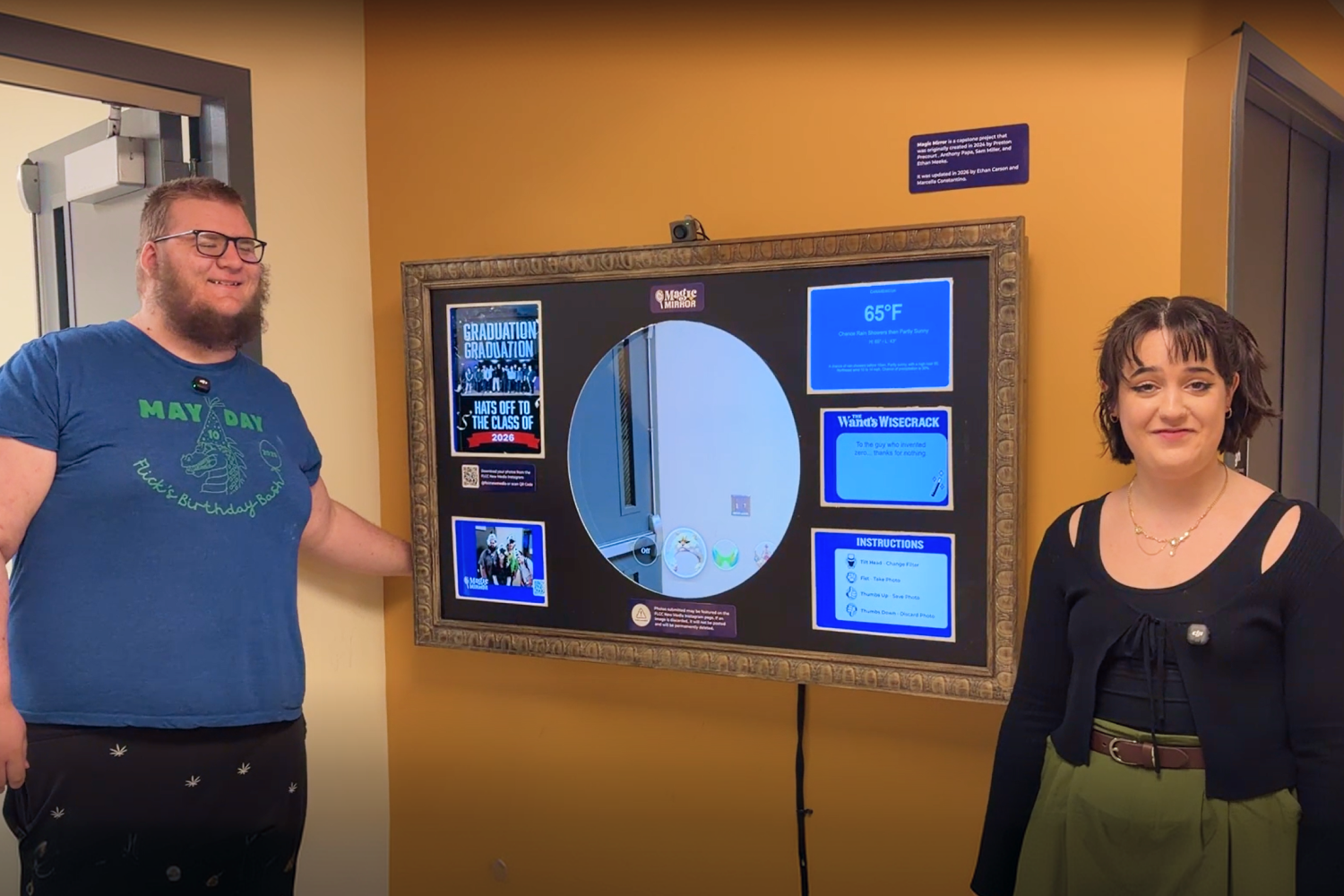
I worked closely with my teammate throughout the project, ensuring that the user interface, augmented reality filters, and information panels functioned seamlessly alongside the computer vision and camera systems.
Final Review
After integrating all features, we reviewed the completed application, making final design adjustments and visual refinements to ensure a cohesive user experience. The finished smart mirror combined modern branding, real-time information, and augmented reality into an engaging interactive display.

Takeaways
This project was a major step forward in my career development. Before this project, I had very limited experience with JavaScript, had never worked with APIs, and had little experience collaborating through GitHub. Throughout the process, I gained a better understanding of how front-end applications are structured, how different technologies work together, and how to contribute to a larger team-based coding project. I also learned that successful projects require more than just building features—it requires planning, organization, and knowing when to adjust the scope. Midway through development, our team had to reevaluate our goals, remove features that were too ambitious for our timeline, and focus on creating the strongest experience possible with the resources we had.
Successes
The most rewarding part of this project was seeing people actively use and enjoy something I helped create. Watching students interact with the mirror, experiment with the filters, take photos, and use it as a way to capture memories at school showed me the impact that interactive design can have. I enjoyed creating the visual identity, interface elements, AR filters, and information panels because it allowed me to combine my design background with new programming skills. I was also proud of learning how to work with APIs and contribute within a GitHub workflow, as these were completely new areas for me. Seeing the project become something that encouraged people to stop, interact, and spend time together made the technical challenges feel worthwhile.
Changes
If I continued developing this project, I would spend more time expanding the visual and interactive elements of the mirror. I would like to create additional filters, refine the overall layout, and improve the photo experience by adding a more complete way for users to access and download their pictures. Due to the project timeline, some features had to be removed or simplified, but user feedback revealed many opportunities for future improvements. I would also approach future projects with a stronger focus on early planning, organization, and defining the scope from the beginning to make development more efficient and manageable.
Contact
I’m always excited to connect and discuss new opportunities, projects, or collaborations. Whether you have a question, a project idea, or want to work together, feel free to reach out!